


The Right Rule, Right When You Need It

Back in July, I wrote about getting started with a VEX Robotics Competition Game Manual, and the big idea was simple: a Game Manual is a reference, not a novel, so instead of reading it cover to cover before you play, you look things up as the questions come.
But a reference is only as helpful as it is reachable, and questions don't wait until you're back at your laptop. They come up in the queue line, at the build table, or at the field when a referee and a drive team see the same moment two different ways.
That's why I'm so excited about manuals.vex.com. Launched this month as the new web-based home for VEX Robotics Competition Game Manuals, it takes everything we talked about in July and puts it in the hands of everyone who needs it, on whatever device they're holding, right in the moment.
Every Manual, One Address
Instead of hunting for the right PDF, you can now start in one place and open the current manual for:
- VEX IQ Robotics Competition Level Up
- VEX V5 Robotics Competition Override, with direct entry points for VEX U and VEX AI
- VEX AIR Drone Competition Pick & Drop
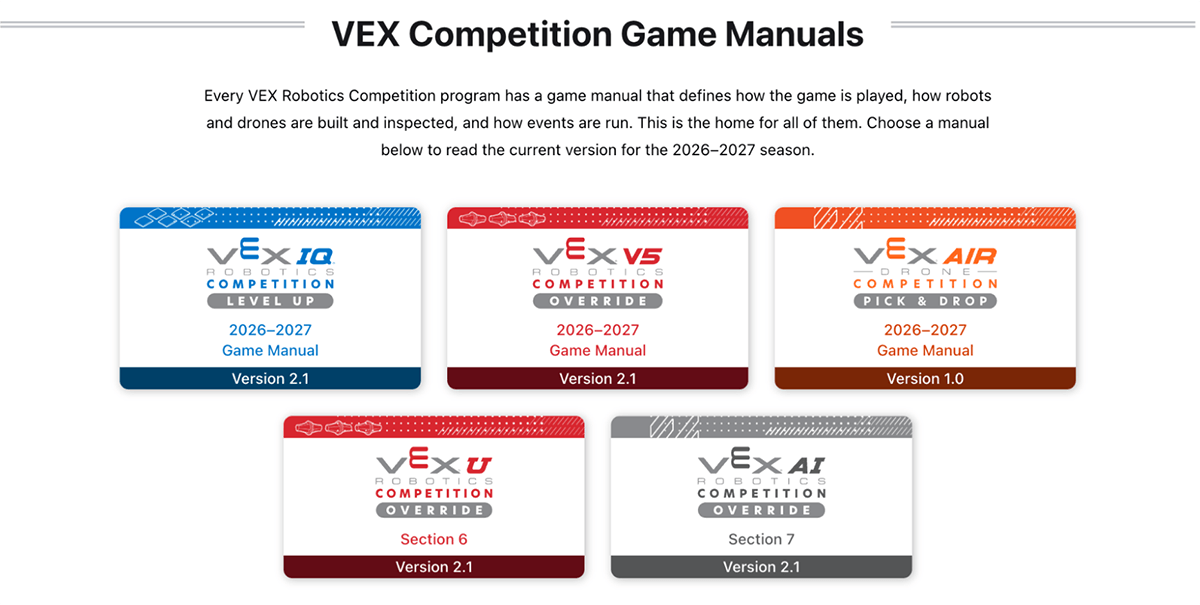
Every manual keeps its full version history on the site, and every page tells you which version you're reading. When a PDF is updated, older copies can keep circulating in inboxes and group chats, but starting from manuals.vex.com lands you right on the current version. And additional manuals will continue to be added as VEX Robotics Competitions grow!
Built So Everyone Can Read It
PDFs are great for printing, but they leave a lot of readers out. A student using a screen reader may hear headings, tables, and images in the wrong order, or not at all. On a phone, reading a PDF means pinching, zooming, and scrolling sideways to get through a single line, and adjusting text size, spacing, or colors isn't simple either.
The manuals.vex.com site was built to meet international web accessibility standards, and you can find the full details on the VEX accessibility page. In practice, that means:
- Every image has descriptive alt text, and complex figures like flowcharts and tournament brackets have full text descriptions.
- Screen readers move through headings, lists, and tables in the right order.
- Text can be enlarged up to 200%, and the page adjusts to fit your screen in portrait or landscape, so there's no sideways scrolling.
- Everything can be navigated with keyboard controls, starting with a "Skip to content" link on every page.
- You can switch to dark mode, choose a language from the built-in menu, or turn on your browser's translation tools.
Features designed for accessibility end up supporting everyone, so the student using a screen reader and the coach squinting at a phone in a loud gym both get a better manual.
The Right Information, Right in the Moment
Since it's a website, the manual can do things a PDF never could. Here are a few ways a web-based Game Manual supports everyone involved in the competition.
Students at the build table, in the queue line, or in your classroom:
- The search built into every page finds any rule or term in seconds.
- Capitalized glossary terms are linked throughout, so students can check exactly what Possession or Scored means without flipping to an appendix.
- The site has no page breaks, so a rule, table, or diagram is never split across two pages.
- You can link straight to a rule in your team’s engineering notebook so everyone is on the same page.
Coaches planning practice or prepping for an event:
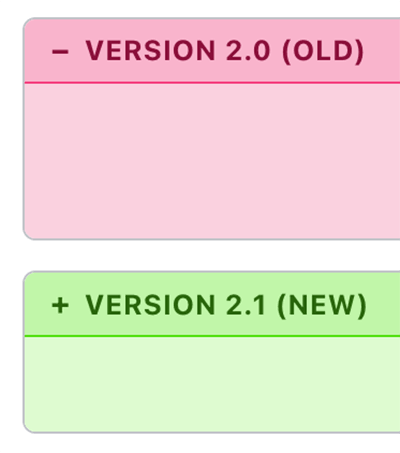
See exactly what changed. This is one of the biggest upgrades on the site: after every manual update, you can pick any two versions and the site highlights the exact text that changed, not just the summary. Instead of comparing two PDFs side by side or hoping a changelog caught every reworded rule, a quick look before each event means your team walks in knowing the current rules.
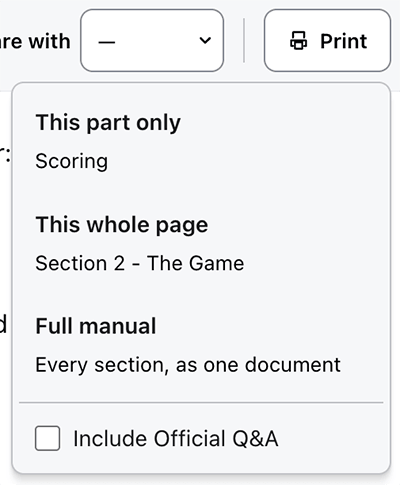
Focus students on what you want them to see. Print or save a PDF of the whole manual, a single section, or just the part you're reading, with the option to include Official Q&A.
Referees and event volunteers at the field:
- Rules and their Violation Notes are easy to pull up on a phone between matches.
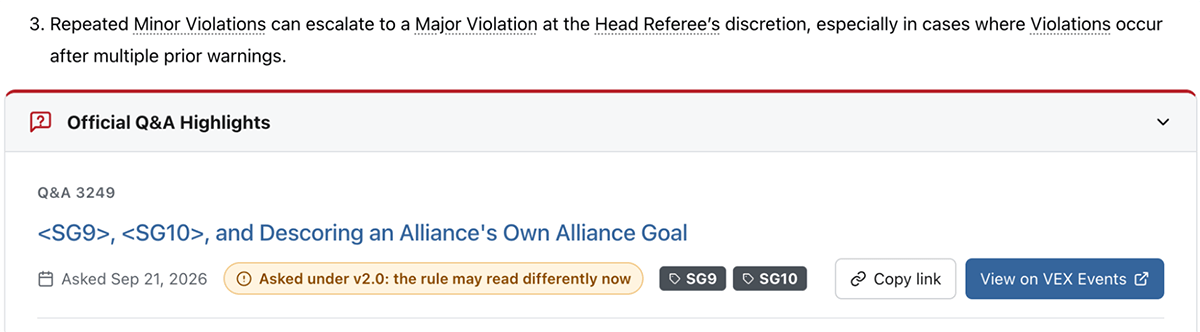
- Key Official Q&A clarifications highlighted by the Game Design Committee now appear right on the rules they apply to, each linking to the full question on events.vex.com and even noting when a question was asked under an earlier manual version.
Your Next Step
Offering the PDF and the site side by side this season is intentional: it gives teams and event volunteers time to use the site at real events before the full transition. Everything from my July post on getting started with a VEX Robotics Competition Game Manual still holds true: start with the overview of the game, use rule numbers to jump straight to what you need, trust the Glossary, and let real gameplay drive what you read next. The new site doesn't change how you approach a Game Manual, but it does make the manual far more approachable, giving every student, coach, referee, and volunteer a reference they can reach, read, and trust the moment a question comes up.
This week, try one thing: open manuals.vex.com, look up the rule your team asks about most, share the link with your team, and let your students take it from there.
How is your team or event planning to use manuals.vex.com? Join the conversation in the VEX PD+ Community. For help building the site into your team or event-day routines, schedule a 1-on-1 Session with a VEX expert.