


Chapter 5: Running Your Event
Lesson 1: Before the Event

Learning Objectives
- Identify what volunteers, registered teams, and the venue each need to know before event day, and when.
- Describe what to do when a coach asks about an accommodation, and what happens once one is approved.
- Explain how the event layout supports match flow, queuing, judging, and safe movement.
- Sequence the setup and materials preparation for the day before and the morning of the event.
- Explain how an event's venue, team count, and field plan determine what setup requires.
Your event is planned, posted, and full. Teams are registered, your volunteers have said yes, and the gym is reserved. What is left is the work that turns those decisions and that room into an event teams can walk into.
Work backward from the moment the doors open. Picture the first coach walking in with a robot cart. For that moment to go well, the room has to be laid out and labeled, the check-in table has to be staffed and stocked, the fields have to be built and tested, and that coach has to already know where to park and what time to arrive. Each of those has a deadline in front of it — some a month out, some the night before, some early that morning.
What People Need to Know and When
Teams and volunteers each need information from you on their own schedule, and your venue needs one last conversation. Chapter 4 Lesson 2 covered recruiting volunteers; now the work is confirming rather than assuming.
| When | Registered teams | Volunteers |
|---|---|---|
| At sign-up | A welcome and the basics | Role, date, hours, contact information, shirt size, dietary needs, and whether they need an accommodation |
| Three weeks out | — | Confirm certified volunteers are on track, and name them on your event listing |
| One to two weeks out | What to bring and how to prepare | One week out: verify your volunteer headcount by asking directly |
| A few days out | Arrival and check-in, the shape of the day, how to reach you | Two days out: arrival time for their role, parking, attire, meals, start and end times, how to reach you |
Communicating with Teams Registered for Your Event and Communicating with Volunteers for Your Event carry the full timelines and what belongs in each message.
Two things apply to everything you send:
- Group related topics into one message, rather than sending a string of short ones.
- Keep the details consistent with what your event posting already says, since coaches read both.
The team email list is for your event. Use it for event communication and qualifying-event recruitment, honor opt-outs, and don’t use or share it for anything else. This is part of the Commitment to Event Excellence you agreed to when you submitted your event.
If a coach asks you about an accommodation, point them to the Global Robotics Accommodation Request Form and encourage them to submit it promptly. The request is theirs to make, and the Global Robotics Accommodations Team’s to decide. If an accommodation is approved, Global Robotics will contact you with what to arrange — usually field access, seating, pit placement, where an interpreter stands (arranging the interpreter is the team’s responsibility through their school district), or a quiet space for a judging interview. Share approved accommodation details only with the volunteers who need them to meet the accommodation. The Event Accessibility and Accommodations Policy has the request process and the deadlines to point a coach toward.
Your venue needs a last conversation too, even if you have hosted there before. Confirm:
- What time you can get in, and whether that includes the night before
- Who unlocks the building, and who is on custodial duty
- Where teams and volunteers park, and how you load in
- Your table and chair count, and the table size, which varies more than people expect
Laying Out the Room
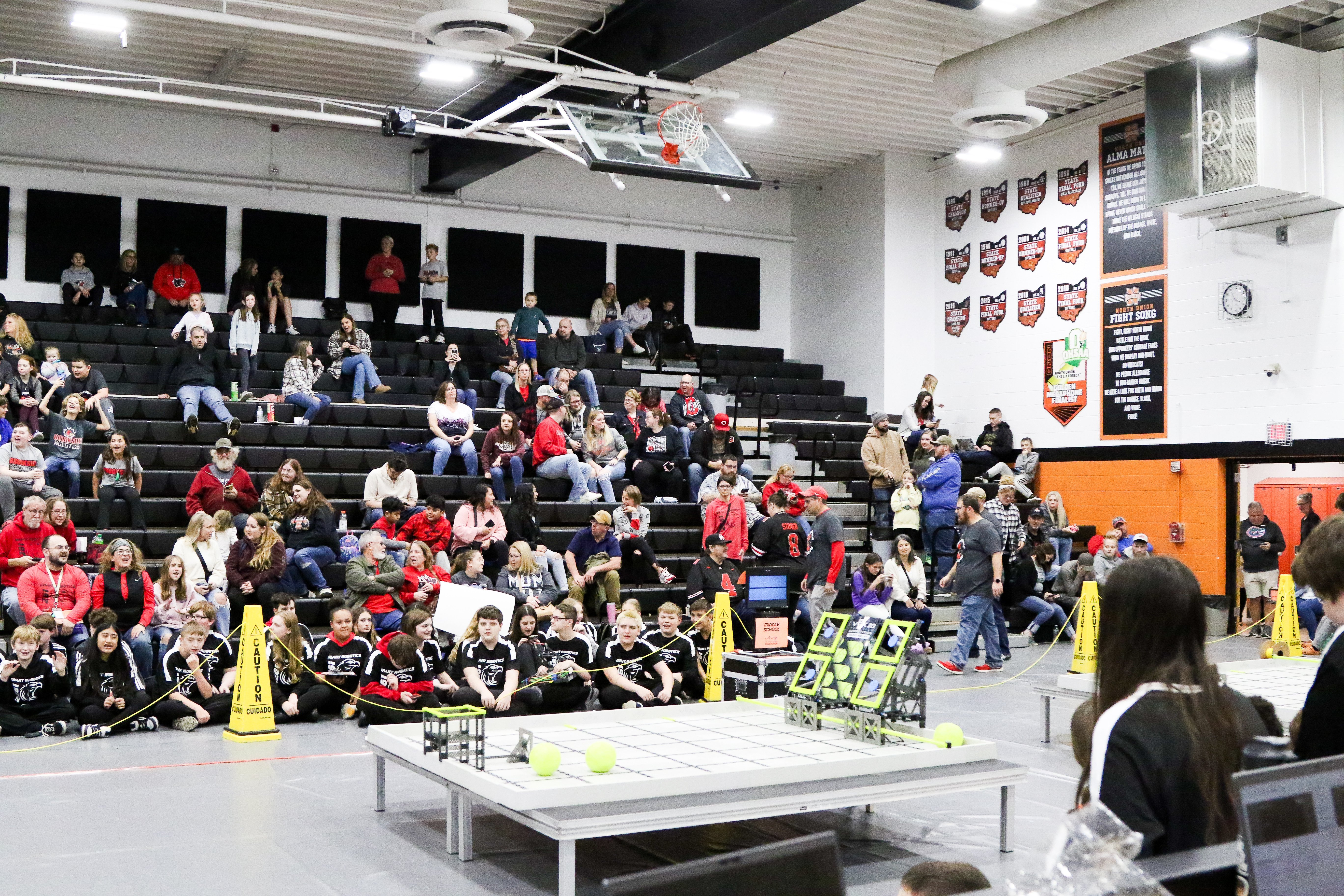
Chapter 4 Lesson 1 established what fits in your gym. Laying it out is a different question: what does each area need from the areas beside it? Teams and robots will move through the space all day, so the paths they take should be short and should not cross more than they have to.
- Check-in and inspection: Near the doors where teams arrive, with inspection stations close by.
- Queuing: Beside the competition fields.
- Robot Skills: Reachable without walking through match traffic, since it runs alongside Qualification Matches.
- Pits: One table with four to six chairs per team, with room to work around them and enough aisle for two carts to pass.
- Spectators: Somewhere to watch that does not put them in the queuing path.
- Judging, if you offer it: A quiet space for deliberations, away from the noise, and out of earshot of teams and spectators.
Keep aisles and exits clear, and plan accessible routes and seating from the start rather than adding them later. Planning Your Venue and Event Space has a sample gym layout, and Setting Up Your Event Space covers building and orienting fields, signage, and safety details like cord management.
What You Print, Build, and Bring
Most of what your event needs on paper comes from one place. Printable Resources for Competitions holds:
- Inspection checklists for your Head Referee and Robot Inspectors
- Printable scoresheets
- VEX IQ printable license plates, for a team that arrives without one
- The Event Volunteer Roster, for recording who is working which role
- Rubrics, award signage, and nomination forms, if you are offering judged awards
Add your own signage and pit labels to that stack. Print the Event Partner Planning Checklist early and work from it.
You will also need what Tournament Manager runs on: a computer with the software installed, a printer for match schedules, a reliable connection on the venue’s network, and displays for the schedule and scores. The software itself is covered in a later chapter. What matters here is the timing: the match schedule is built once teams have checked in, so several of the things you print come out of the software that morning.
The Night Before and Morning Of
How you split the setup depends on your venue. Some Event Partners build fields a week ahead and hang signage the night before; others do all of it the morning of. Your venue access decides your options. If you can have the night before, take it. Fields often take longer to build than anyone expects, and a field built the night before can be tested before teams arrive.
The night before, if you have the building:
- Fields built and oriented, with drive team positions taped out
- Pit tables placed and labeled
- Signage up
- Power run
That morning:
- Software up and the team list loaded
- Check-in stocked and staffed
- Inspection ready with checklists and sizing tools
- Fields powered on (V5) and tested
- Volunteers greeted, fed, and pointed to their stations as they arrive
Build a buffer into that morning’s setup time. Chapter 4 Lesson 3 put buffer time in your schedule for the day, and the same logic applies before the event starts. A team that arrives an hour early, a field that will not connect, a custodian who unlocks the wrong door — any of these is manageable with thirty minutes of margin and stressful without it.
The size of that list scales with your event. Every team adds a pit table to place and label, every field adds build and test time, and every inspection station needs a sizing tool, plus one spare. A small event with one competition field can often set up in a single morning. A two-field event like the one from Chapter 4 is a good reason to ask for the night before, and for a few volunteers to help build.
By the time teams arrive, most of your work is already done. The next lesson is about what you do with the hours that follow, once the room is full and other people are running it.