


Chapter 3: Running and Scoring Robot Skills Matches
Lesson 1: Robot Skills Match Structure

Learning Objectives
- Identify the two types of Robot Skills Matches and how they differ.
- Describe the structure and field setup of a Robot Skills Match, and how it differs from a Teamwork Match.
- Describe how a robot is handled and started during an Autonomous Coding Skills Match.
- Identify which standard rules still apply and confirm that a Robot Skills violation affects only that match.
- Identify how Robot Skills Match scores are recorded in the VEX TM Mobile app, including when a score is recorded as zero.
Robot Skills Matches give individual teams an opportunity to score as many points as possible with one robot in a one-minute match. These matches are separate from Teamwork Matches and have their own procedures and field setup requirements.
For referees, Robot Skills Matches call for many of the same habits used in Teamwork Matches: confirm the field setup, watch the robot and Drive Team Members carefully, evaluate scoring accurately, and communicate clearly with teams. A Robot Skills Match is not simply a Teamwork Match with one team. Some rules apply differently, and referees need to know where to find those differences in the Game Manual.
Before continuing, read Section 3: Robot Skills Match Rules in the current VEX IQ Robotics Competition Level Up Game Manual.This section is dedicated to the Robot Skills Challenge and the information specific to these matches.
Two Types of Robot Skills Matches
There are two types of Robot Skills Matches, and a team's Skills ranking comes from both:
- Driving Skills: Drive Team Members control the robot the entire time using a VEX IQ Controller.
- Autonomous Coding Skills: The robot runs code written by the team, with only the limited human interaction permitted by the Game Manual.
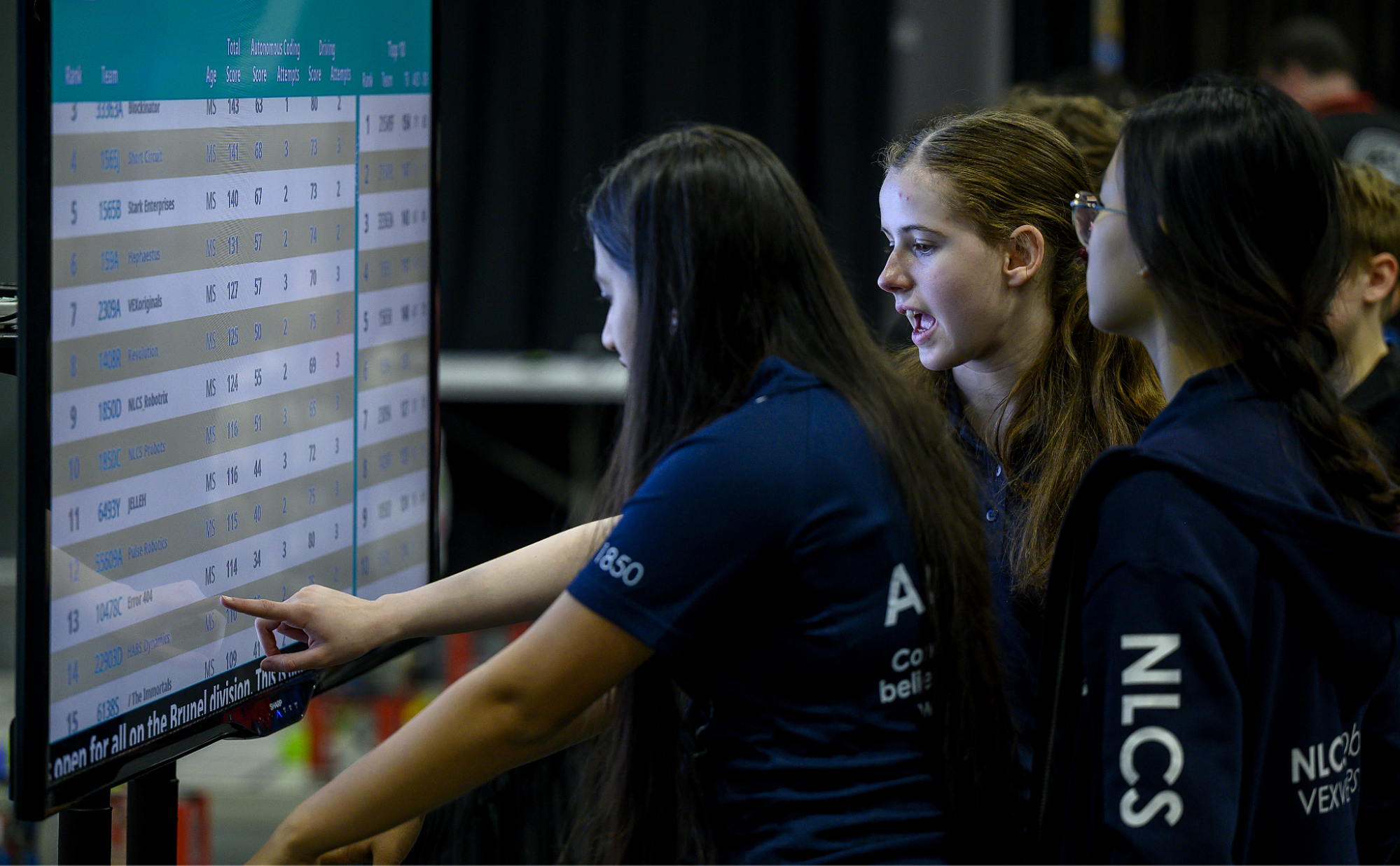
Each team gets exactly three Driving Skills Matches and three Autonomous Coding Skills Matches at an event, played on a first-come, first-served basis. A team's Skills ranking is the sum of their highest Driving Skills score and their highest Autonomous Coding Skills score, so both types matter.
Standard Rules Still Apply
Robot Skills has its own section in the Game Manual, but that does not mean the other rules stop applying. As <RSC1> explains, standard rules apply to Robot Skills Matches unless the Robot Skills section says otherwise. The reliable habit is to start with the standard rule, then check whether the Robot Skills section modifies it. If it does, apply the Robot Skills version.
<RSC1> also sets an important boundary: a violation of a <GG>, <SG>, or <RSC> rule during a Robot Skills Match affects only that match. It does not count toward a pattern of repeated violations across the event. Each Robot Skills Match stands on its own.
Key Differences from Teamwork Matches
Because most rules carry over, the useful thing for a referee is to know which rules the Robot Skills section changes. You are not expected to memorize every difference — the goal is to recognize what kinds of things look different at a Robot Skills field and confirm them against the Game Manual before each match. The most common differences are below.
| Category | Robot Skills Match | Teamwork Match |
|---|---|---|
| Participants | One team runs one robot. | Two teams cooperate as one alliance. |
| Field Sides Used | Only the Red Driver Station and Load Zone are used. | Both Driver Stations are used. |
| Robot Start Position | Only the Red starting position is used. | Both the Red and Blue starting positions are used. |
| Match Loads | Eight Bean Bags (four red, four blue) | Eight Bean Bags per robot (all eight match the color of the Driver Station) |
| Number of Matches | Three Driving Skills Matches and three Autonomous Coding Skills Matches per event. | Set by the event schedule per Tournament rules in the Game Manual. |
| Handling Robots | Handling is allowed in certain circumstances. See below for more information. | Handling is allowed in certain circumstances. See <GG10> for details. |
Handling the Robot in Autonomous Coding Skills
Autonomous Coding Skills comes down to two main things a referee watches for:
- Teams may handle the robot, and that's expected. Normally a robot may only be reset when it is stuck, tipped, or stranded, with the Head Referee's permission (<GG10>). Autonomous Coding Skills lifts that limit: a team may reset their robot as often as they like. Each reset still follows the normal handling mechanics — the robot returns to a legal start, gets no new Preload, and any Bean Bags it was holding are removed and not returned.
- The takeaway: Resets are normal play, not something to discourage or stop. Just confirm the robot returns to a legal start and that no new Preload is added, and any Bean Bags removed during the reset do not return to the field.
- No Controller for Autonomous Coding Skills. The robot runs the team's code on its own. Drive Team Members may not use their VEX IQ Controller for any purpose during the match. Teams are discouraged from bringing the Controller to the field at all.
- The takeaway: Any use of the Controller during an Autonomous Coding Skills Match is a problem — there is no exception.
Scoring Robot Skills Matches in VEX TM Mobile
Scoring a Robot Skills Match uses the standard scoring rules you learned in Chapter 2. There is no separate Skills scoring system to learn.
Robot Skills Matches are also scored in the same VEX TM Mobile app you use for Teamwork Matches (see Chapter 2). The scoring works the same way, but because Robot Skills is a solo team competition, getting to the score screen is slightly different.
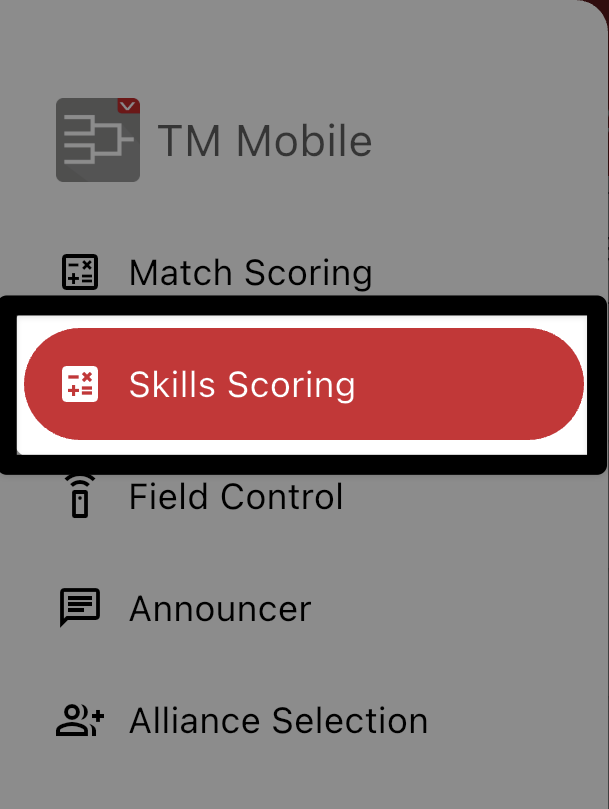
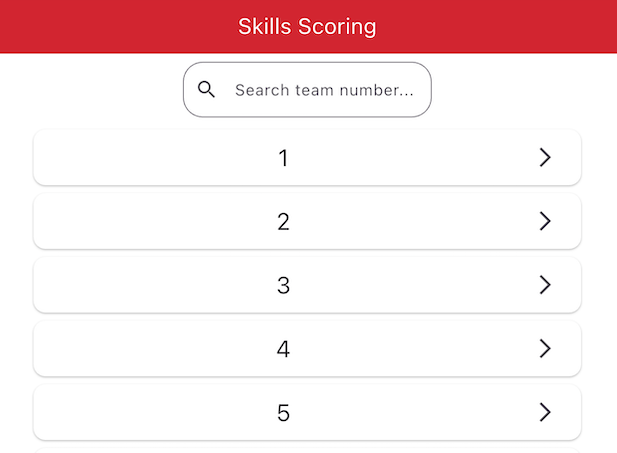
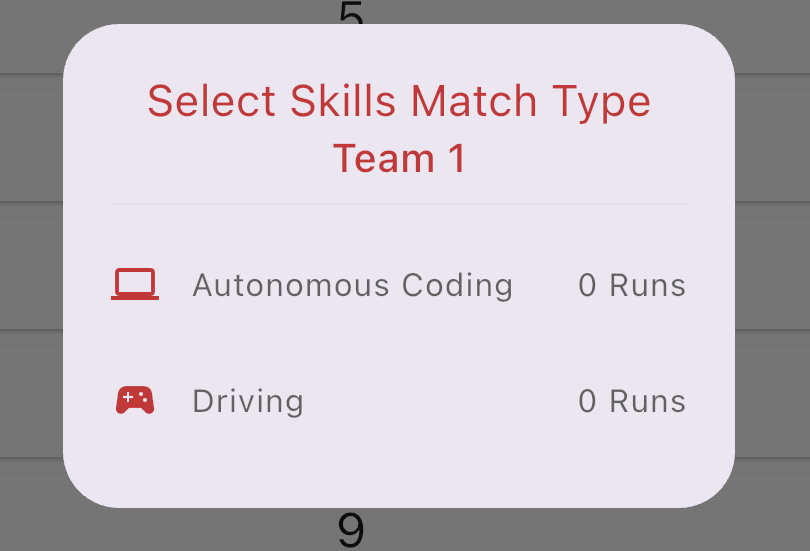
Once you select a team, the app asks you to choose the Match Type — Autonomous Coding or Driving.
You will see how many runs of each type the team has already recorded. Because each team is limited to a set number of runs of each type, make sure you are scoring the correct type before continuing.
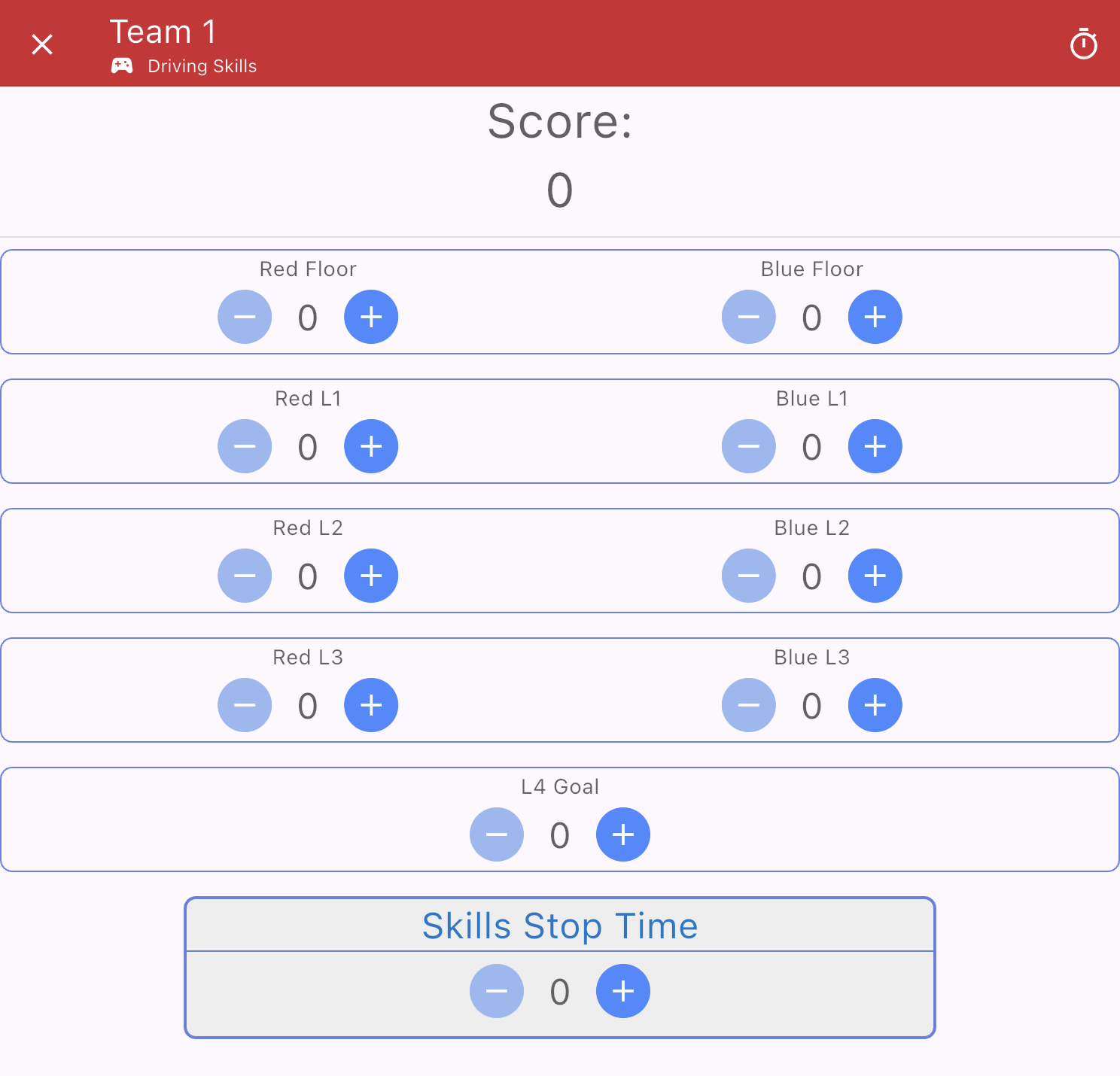
The score screen looks just like the Match Scoring screen, as the scoring is the same.
Enter Bean Bag counts with the − and + buttons the same way you learned in Chapter 2.
At the bottom, enter the Skills Stop Time as a whole number of seconds. (You will learn about Skills Stop Time in the next lesson.)

As with a Teamwork Match, review the score with the team before you save.
Saving matters even more here: a saved Robot Skills score cannot be unlocked or changed — it is immediately recorded as one of that team's runs.
Confirm the score is correct and agreed on, then select the green Save button.
If a team receives a Disqualification in a Robot Skills Match, the entire score is recorded as zero, regardless of what is on the field. Because each Robot Skills Match stands on its own, a zero in one match does not affect the team's other Skills scores. You will learn how violations lead to a Disqualification in a later chapter.