


Chapter 6: Robot Interaction and Judgment Calls
Lesson 2: Handling and Resetting a Robot

Learning Objectives:
- Identify the circumstances under which a robot may be handled or reset during a Teamwork Match or Driving Skills Match.
- Describe the correct procedure for a legal robot reset, including the signal, legal re-placement, and handling of Bean Bags.
- Distinguish between a legal reset or repair and an illegal mid-match modification.
- Describe how robot handling differs during an Autonomous Coding Skills Match.
During a match, robots stay on the field and teams keep their hands off them. The one exception is a robot that needs help — one that has ended up completely outside the field, gotten stuck, or tipped over. In those situations a team may retrieve and reset its robot, but only with your permission and only by following a specific procedure. This applies the same way whenever a driver is operating the robot, which means both Teamwork Matches and Driving Skills Matches follow the same handling rules. This lesson covers when a reset is allowed, how a legal reset is carried out, and the line between fixing a robot and modifying it. You will also learn about how handling and resets apply in Autonomous Coding Skills Matches.
Before continuing, read the following rules in the current Game Manual:
- <GG10> Handling the Robot mid-Match is allowed under certain circumstances.
- <SG1> Starting a Match (legal starting position).
- <RSC4> Loader and Driver differences.
- <RSC5> Handling Robots during an Autonomous Coding Skills Match.
- <RSC7> Autonomous means "no humans."
- <S1> Stay safe, don't damage the Field.
When a Reset Is Allowed
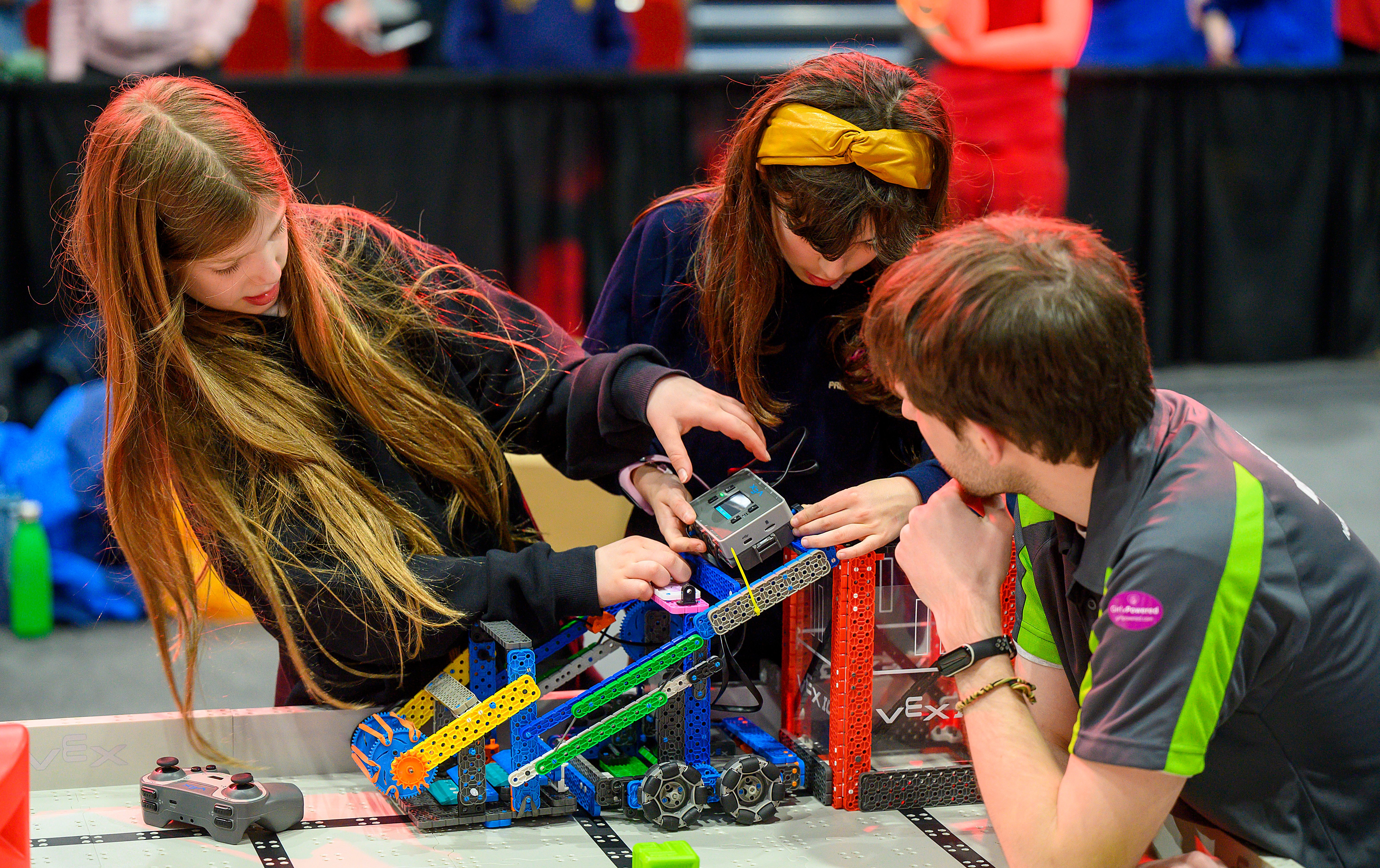
During Teamwork Matches and Driving Skills Matches, a team may handle its robot mid-match only when the robot genuinely needs help. Rule <GG10> lists the circumstances: the robot has gone completely outside the playing field, has gotten stuck, has tipped over, or otherwise requires assistance. Handling is not a free action a team can use whenever it wants — it is a response to a robot that can't continue on its own, and it always requires Head Referee permission first. There's no limit on how many times this can happen in a match, but each reset needs its own qualifying situation and its own approval from the Head Referee.
Your role at the start of a reset is to confirm the robot actually needs one. If the problem isn't obvious, you may ask the driver to demonstrate it using the controller — for example, showing that the robot is broken, undriveable, or stuck on an obstacle — before you approve the reset.
The Reset Procedure
The team carries out the reset; your job is to watch that they do it legally. A reset moves through three phases, and each is a place where something can go wrong that you are responsible for catching.
- The signal. The team requests a reset by placing their controller on the ground. That's all it is, a request. Nothing happens until you approve it, so the reset is under your control from the start.
- The Bean Bags. Anything the robot was controlling comes off the field for good — it isn't returned, and the Loaders can't feed it back in. Nothing else on the field should be touched. This is the phase to watch most closely, since it's where a team could improperly keep an object the robot was carrying. If you're unsure whether the robot was "controlling" a Bean Bag or just touching it, ask yourself whether it would move with the robot as the robot turns or lifts.
- The re-placement. The robot goes back to a legal starting position, and it does not get a new Preload. A reset returns a robot to play; it is not a fresh start. The thing to look for here is a team that ends up with an extra Bean Bag out of a reset — that's an advantage they shouldn't have gained.
Keep one safety line firm through all of this: students never step onto the field (<S1>). If the robot is stranded somewhere the Drive Team Members can't reach, they don't climb in for it, they ask you to lift it out and hand it to them.
Repair Versus Modification
A reset is a chance to get a robot back into play, not to change it, and <GG10> draws that line firmly. The distinction you're enforcing is simple to state: is the robot being restored to what it was, or altered into something different?
Fixing a snapped-off arm so the robot can drive again is a repair, and it's allowed. Bolting on a new mechanism the robot didn't start with, or swapping in a different set of parts, is a modification — it changes the robot rather than restoring it, and it isn't allowed during a reset. When you're weighing a borderline case, that restore-versus-alter question is the one to ask.
Handling During an Autonomous Coding Skills Match
Because no one is driving in an Autonomous Coding Skills Match, handling the robot becomes part of how the match is played, and the rules shift accordingly. The reset mechanics carry over from <GG10>, but a few things work differently.
- Handling is a strategy, not a rescue. Under <RSC5>, a team may handle its robot as many times as it wants during an Autonomous Coding Skills Match. Unlike a Teamwork Match reset, this doesn't require the robot to be stuck, tipped, or otherwise in trouble, and it doesn't need your approval each time. The team can choose to pick the robot up and re-place it as part of their strategy. Because Drive Team Members aren't tied to the Driver Station here, <RSC4> lets them move freely around the field to stage this.
- The reset mechanics are the same. Each time the robot is handled, it goes immediately back to a legal starting position with no new Preload, and any Bean Bag it possesses comes off the field and isn't returned or re-loaded — exactly as in a standard reset. From that position the team may adjust the robot as they like, including pressing buttons on the brain or activating sensors by hand.
- "Autonomous" still means no driving. Under <RSC7>, Drive Team Members may not use the VEX IQ Controller for any purpose and may not manually trigger sensors during the match. Handling and physically resetting the robot is allowed; steering it through the controller is not.