


Chapter 4: Robot Inspection
Lesson 2: What to Look for During Inspection

Learning Objectives:
- Identify practical techniques to verify checklist items accurately and consistently.
- Describe how to verify robot size across all legal starting configurations within the 11" × 20" × 15" volume.
- Identify the possible outcomes of an inspection and when a robot must be re-inspected.
- Describe how to communicate inspection results to a team.
Reading the checklist is the easy part. The skill is confirming each item efficiently and the same way every time. The tips below cover the items that take more than a glance.
Before continuing, review the following rules in the current Game Manual:
- <SG2> Horizontal expansion is limited
- <R3> Robots must fit within an 11” × 20” × 15” volume
- <R13> Prohibited items
- <R14> Legal non-VEX IQ components
- <R15> Decorations are allowed
- <R17> Modifications of parts
Inspection Tips
A few habits make an inspection faster and more consistent:
- Let the team show you. Ask the team to point out and demonstrate things rather than digging through the robot yourself — faster and avoids missing something tucked inside.
- This also offers the team another opportunity to demonstrate their ownership of the design and their commitment to the Student-Centered Policy. If time allows, let the students explain their robot to you. This can give teams a chance to practice talking about their robot, but be mindful of the time it takes so that events stay running on time.
- Start with the robot powered on. Having the team turn it on lets you confirm the firmware meets the version required by <R8>.
- While you're there, ask whether the robot has any other Brain or microcontroller — robots are limited to one VEX IQ Brain (<R6>).
- To check the firmware version on a VEX IQ (2nd gen) Brain, follow the steps below.
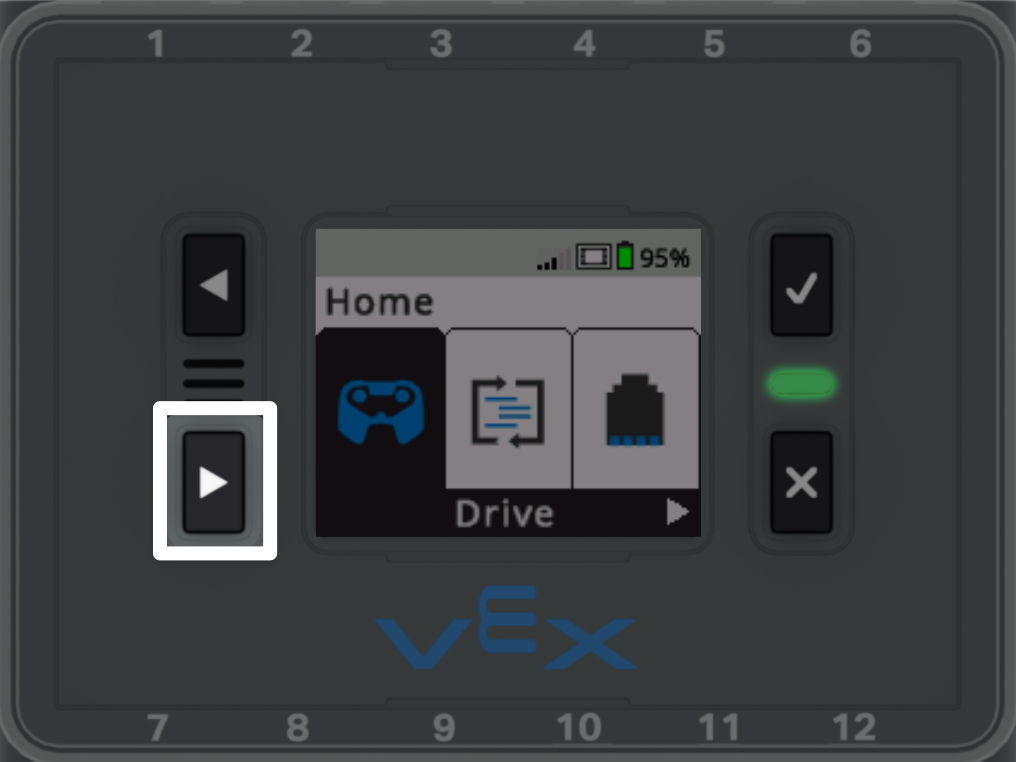
With the Brain powered on, select the ▶ button until Settings is highlighted on the screen.
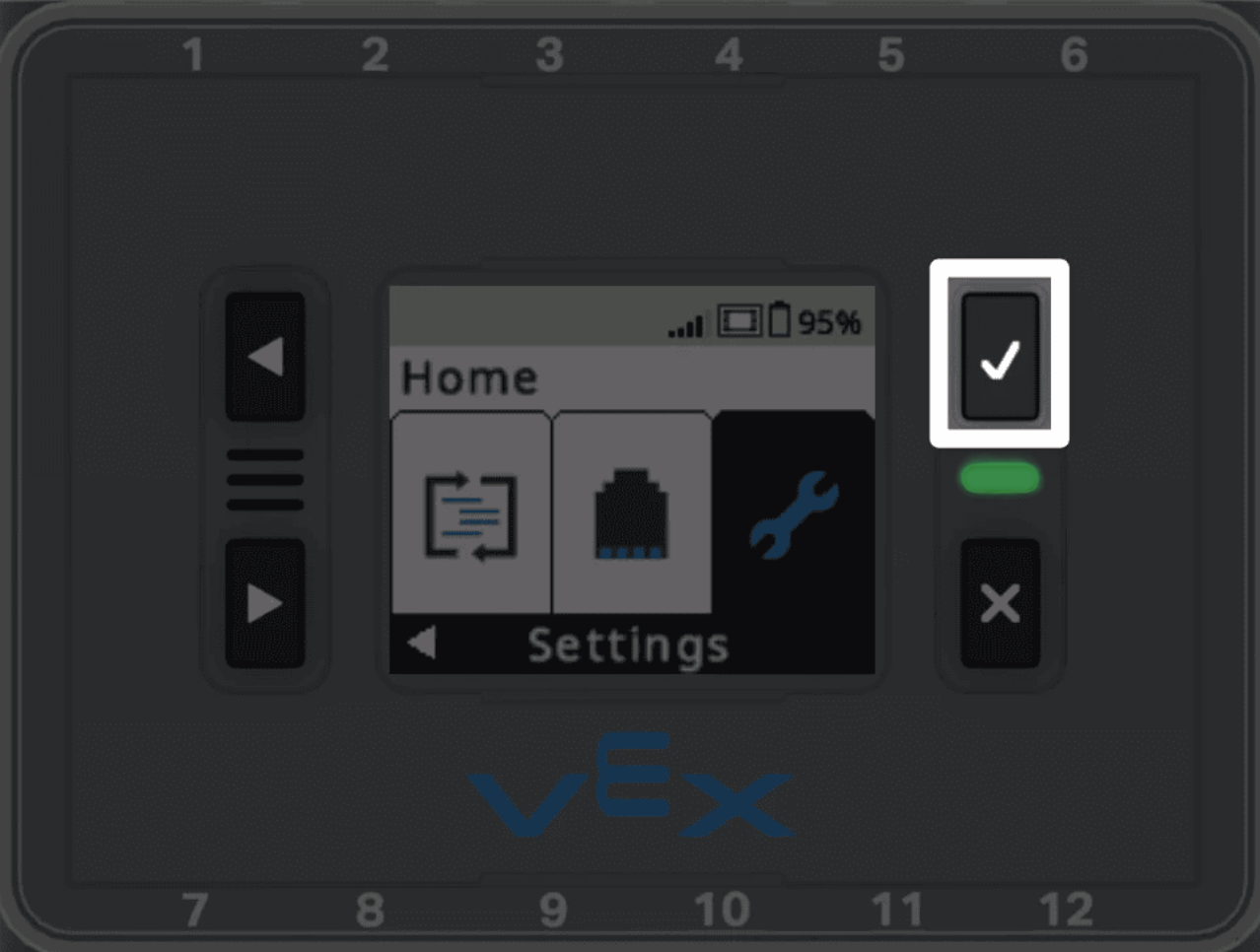
Select the Check button on the Brain to open the Settings menu.
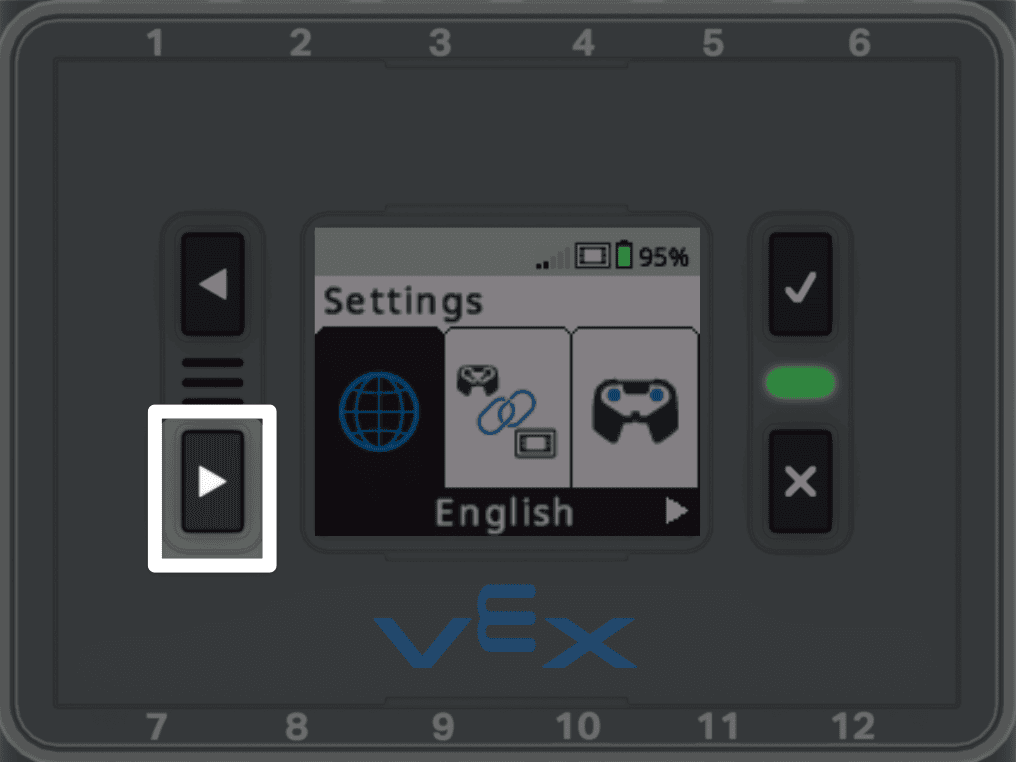
The firmware version is found in System Info within the Settings menu.
Use the ▶ button again until System Info is highlighted.
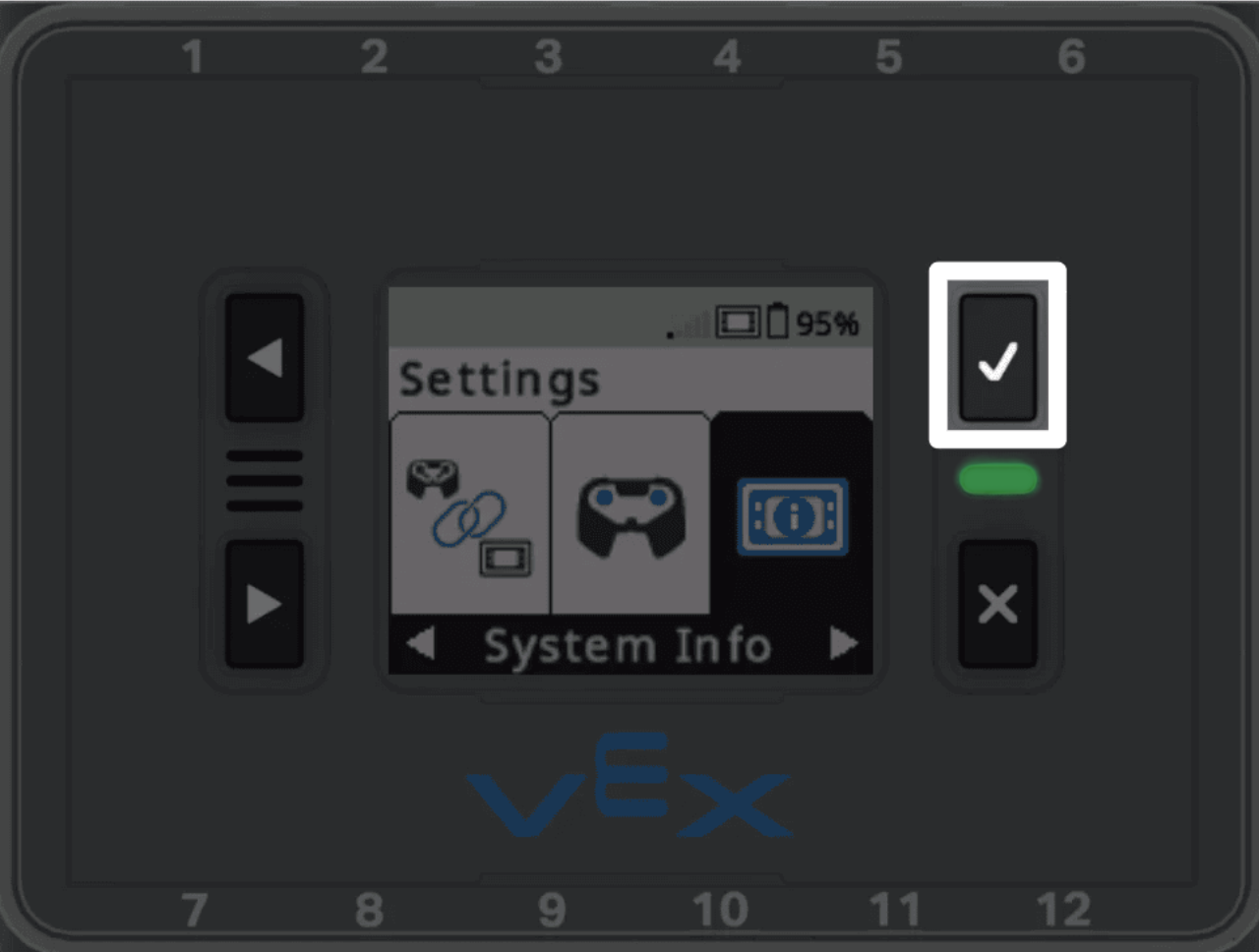
Select the Check button on the Brain to open the System Info.
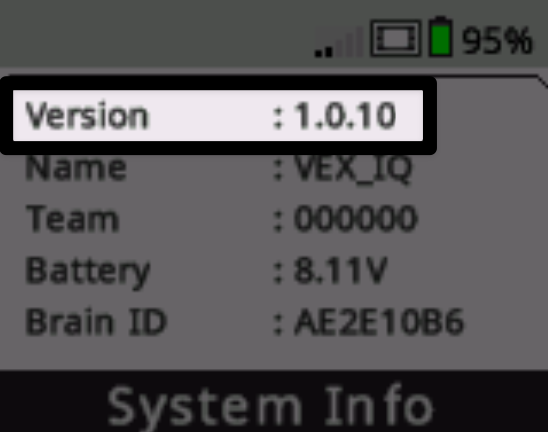
Data will be shown on the screen. The first line shows the firmware version that the Brain is running.
Per the Game Manual, the minimum firmware for VEX IQ (2nd gen) Brains is VEXos version 1.0.8.
Note: VEX IQ (1st gen) Brain firmware information can also be found by opening the Settings menu and viewing System Info. For more information about VEX IQ (1st gen) Brains, see the VEX Library.
For items that need a closer look during inspection:
- Motors:
- Rule <R9> limits robots to six Smart Motors, including motors that aren't connected. Use the Brain's devices screen to see the motors connected by port, then physically check the robot for any that aren't plugged in.
- Sizing the Robot:
- Ask how many starting configurations the robot has — teams are required to tell the inspector and have every configuration inspected (per <R3>a).
- Size each one in the sizing tool with the License Plates attached. Set the robot the way it actually starts a match, and watch for parts that spring out or shift once released by the team.
- The checklist also asks whether the robot fits within an 11” × 24” horizontal footprint in any expanded configuration (per <SG2>).
- Ask the team to demonstrate their expansion, including any mechanisms that arc or swing upward — the Game Manual notes that robots may incidentally expand horizontally while extending vertically.
- Scoring Objects:
- With the robot powered off, ask the team to show that a Bean Bag can be removed from the robot without turning it on or using the Controller (per <R5>).
- Modified parts:
- Scan for parts that have been cut, bent, sanded, glued, or taped. The only legal modifications under <R17> are cutting metal VEX IQ or VEX V5 shafts and VEX IQ pneumatic tubing to length, bending parts intended to be flexible, and tying knots in string or rubber bands.
- Non-VEX IQ items:
- Rubber bands must be no larger than 7.5” long and 0.25” wide, and mechanical or structural parts from the HEXBUG and VEX GO product lines are legal (per <R14>). Compare anything unfamiliar against the Legal Parts List.
- Lubricants must be food-safe and used in moderation (per <R14>i). If a lubricant can be clearly smelled, seen, or felt — or could transfer to the field, other robots, or Scoring Objects — chances are it goes beyond what the rule allows.
- License Plates:
- Confirm exactly two License Plates on opposing sides of the robot, legible, matching the registered team number, and visible at all times (per <R4>). Teams may use the official plate or a plain paper version of matching size — if a team is missing one, you can offer an event spare or guide them to create a legal paper version.
Team Verification
The last section of the checklist is the team's own confirmation — that the robot was designed, built, and coded by student members, that the team understands the Game Manual, Code of Conduct, and Student-Centered Policy, and that an adult will be present for the event. Confirm that one member of the team has initialed each item before marking the inspection complete.
Outcomes and Re-Inspection
There are two inspection outcomes: Pass and Partial. A robot passes when every item is met. If any item is not yet met, the outcome is partial — changes are required before match play. The team makes the needed change(s) and returns for re-inspection. The robot only competes once it passes.
Re-inspections also occur after a significant change such as a Subsystem swap (per <R2>a), or when a robot is placed in a configuration that has not yet been inspected (per <R2>b and <R3>a).
Communicating Results
When a robot does not yet pass, tell the team plainly which item is not yet met and point to the specific rule. Be clear about what needs to change and that the robot must return to pass before competing. Not passing on the first try is a normal part of the process — keep the communication direct and supportive, with the goal of helping the team reach a legal robot. Speak to the students, not just the coach; explaining and fixing the item is part of their learning experience.
Be mindful that for many students, inspection may be one of their first experiences at a robotics competition. Being empathetic in your communication can go a long way in helping teams, especially younger teams, focus on the learning experience, instead of getting frustrated or upset at not passing. Remind students that the reason they do inspection early is to have time to fix things, and be encouraging when they return for re-inspection.