


Engineering Notebooks as a Formative Assessment Tool
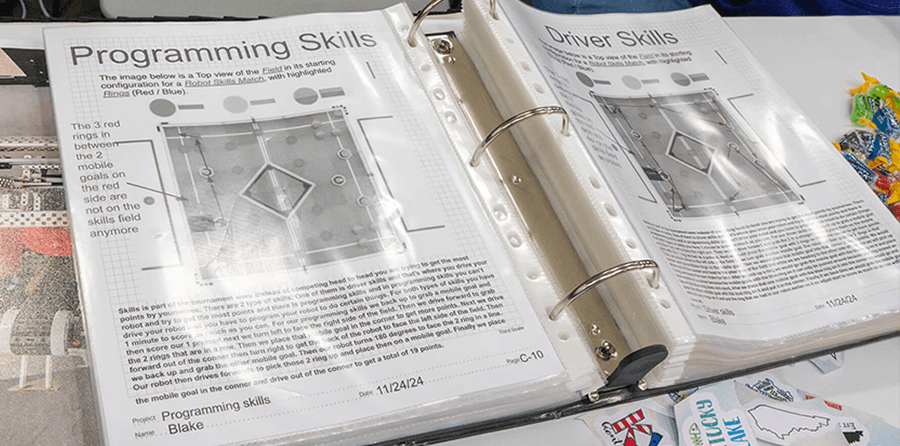
Students' engineering notebooks are rich sources of data that provide you with ongoing snapshots of student learning. When used intentionally, they can provide insight into what students understand as well as their misconceptions at any given time as you implement a STEM Lab or course. They also provide a rich record of how their thinking is changing over time. This makes students' notebooks an extremely valuable formative assessment resource you can use alongside the VEX STEM Labs and Courses you already teach.
Notebooks as a Window into Student Thinking
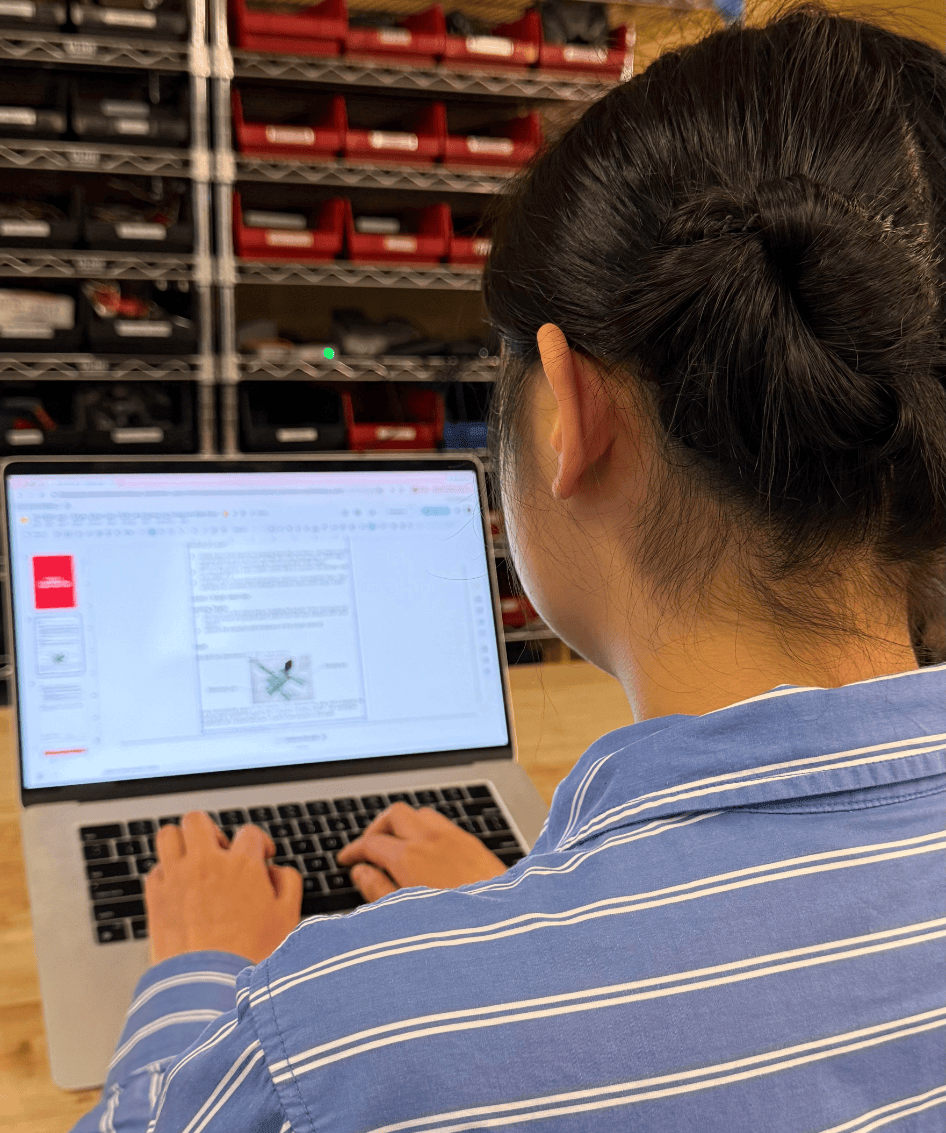
Many VEX STEM Labs and courses have notebooks or journals built in, ready for you to use to uncover meaningful information about each student’s progress. For example, the VEX AIM Intro Course embeds journaling into every part of each lesson. The provided questions guide students to intentionally reflect on the content of the initial video. This prepares them for a whole-class discussion in which students share their observations and prepare to co-create learning targets with the teacher.
In the Guided Practice section of each lesson, students reflect on the lesson concepts, their thought processes, and how they are interacting with their group. In the Wrap-Up sections of the lesson, students reflect on their decision-making process throughout Guided Practice, contrast current knowledge with prior knowledge, and justify their reasoning. At the end of each unit, students use their notebooks as evidence to evaluate their own progress toward each learning target.
Each of these journaling moments hands you formative data at a different point in the learning arc.
Pre-video reflections show you what prior knowledge and questions students bring in so you can shape the discussion around what they actually need. For example, in Unit 2 of the VEX AIM Intro Course, students are asked to respond to the initial video by recording the questions they have about how to button code the VEX AIM Robot. Collecting notebooks and glancing at students’ answers to this question can help you to see where you will need to focus your teaching efforts in this lesson.
If several students ask, “How many button presses do I have to do to make the robot move?”, you will know that emphasizing that one button press equals one robot movement will be essential for helping students grasp this concept.
Guided Practice entries let you check for understanding mid-lesson, while there's time to adjust. In Guided Practice of the button-coding lesson, students code their robots to drive from a specific starting point to a specific April Tag. They are asked to note whether the same project would work if the April Tag was moved to a different location. If a student says “yes” to that question, the next step would be to address this misconception with that student before moving on.
This response shows a fundamental misunderstanding of what the project actually does. The robot isn't finding the April Tag — it's replaying a fixed sequence of movements from a set starting point. A student who expects the project to work with the April Tag moved believes the robot is responding to its environment rather than executing recorded instructions, and that distinction is central to the lesson.
Wrap-Up responses hold the deepest evidence, because those questions ask students to analyze, compare, and justify rather than recall. When a student explains why their robot didn’t behave as expected, you can use this evidence to decide if students have grasped the lesson concept fully, or if they need to revisit it before moving on to the next lesson.
In the Wrap-Up section of the button-coding lesson, students record the answer to this question before engaging in whole-class discussion: “Was the order, or sequence, of button presses important in completing the task? Why or why not?” Doing a quick read of student responses to this question can help you guide the discussion to ensure all students understand sequencing as a basic computer science concept before moving on to more complex lessons.
Additionally, task cards are provided in each practice section of lessons in the AIM course. They serve as metacognitive tools designed to help students monitor and communicate their progress and learning with you, providing yet another opportunity for formative assessment. They can be printed out and added to students journals, and could easily be adapted for use in engineering notebooks across platforms. This Insights article provides an in-depth look at task cards and how to use them.
Notebooks Help Students Self-Assess, Too
The notebook is not just a window for you. It's also a mirror for students. Picture an engineering STEM Lab in which one of the lessons helps students explore how lengthening one jaw on a single-sided claw affects its grip. Their engineering notebook page for that investigation might look something like this:
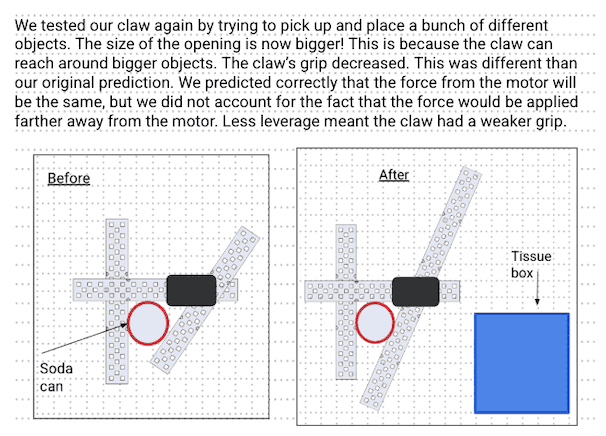
At the end of the unit, they can refer back to this page to see how their thinking about jaw length has progressed. They have a record of how their testing changed a misconception — while at first they believed the claw’s grip would not be changed by lengthening the jaw, they now understand that it caused a decrease in grip due to the force being applied farther away from the motor.
They can look back on this to see concrete evidence of their progress toward a specific learning target (“Describe how the claw's parts, including the length of the moving jaw and the placement of the pivot point, affect how the claw interacts with different objects”). This helps to build the metacognitive habit of asking "What do I know, and what do I still need?"
Simple Strategies for Assessing with Notebooks
Using the engineering notebook as an assessment tool means that formative assessment doesn't have to mean carving out a separate block of time. Jessica Fries-Gaither, in Science Notebooks in Student-Centered Classrooms, points to a few low-lift ways teachers accomplish this within what they're already doing1:
- Check in while students are working. Circulate throughout the room during practice activities and use what you see and hear in students' notebooks as real-time formative data, not just a chance to answer questions.
- Review notebooks after class. A quick read-through of a handful of entries can surface misconceptions or confirm student understanding.
- Use Wrap-Up questions from STEM Labs and Courses as exit tickets. Reflection questions posed in a lesson's Wrap-Up section can double as your formative check for the day with no separate exit ticket needed.
Every engineering notebook entry students write is assessment evidence waiting to be read. Treat it as a window into how your students think, revise, and grow across a unit — and as a mirror that helps students see that growth for themselves.
Want to talk through building notebook-based formative assessment into your classroom? Share your approach in the PD+ Community, or schedule a 1-on-1 session with a VEX expert to plan it out together.