


10 Fun Ideas with VEX to Combat the Winter Blues
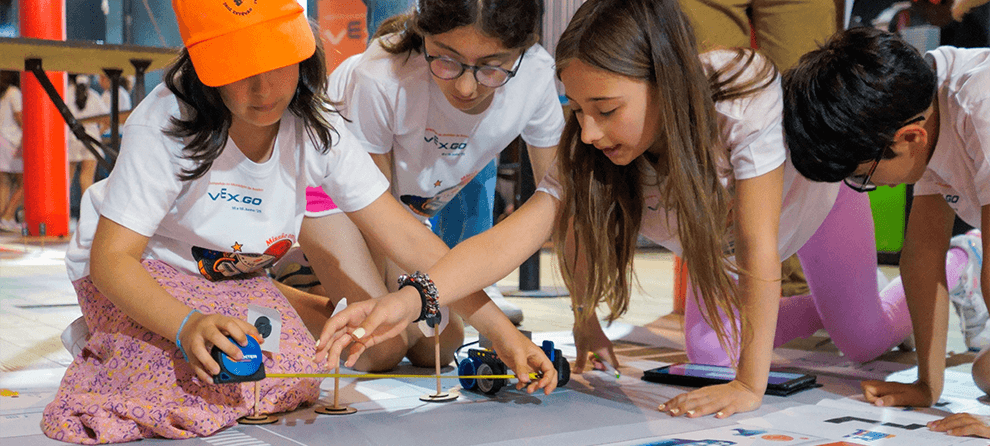
It’s that time of year again - the middle of the stretch between winter holidays and spring break. There is no part of the school year where time goes slower! And, if you live in a place that is cold and snowy during these weeks, you are faced with stir-crazy students who have been inside for way too many recesses. Why not try channeling all that pent-up energy into some engaging robotics activities with VEX? The suggestions in the list below are sure to grab students’ attention and imagination and provide a break from those winter doldrums.
Integrate STEM with Other Subject Areas
Teach SEL with VEX 123
This PD+ Community post is a fabulous resource with three different SEL lesson ideas that combine a picture book with meaningful classroom discussion and the 123 Robot. Students can learn to identify their emotions, try the box breathing strategy for emotional regulation and even turn their 123 Robots into superheroes.
PD+ All Access member James Nesbitt has even provided slide shows and printable Field Tiles you can use to teach these innovative lessons in your classroom. If you try them, be sure to share in the Community thread!
Write a Little Poetry with VEX AIM
Turn your VEX AIM Coding Robot into a poet with the VEX AIM Diamond Poem Activity! In this activity, students set up a word bank on their fields, then code the robot to drive to each word in sequence to write a diamante. They also print the words of the poem on the robot’s screen as they drive to each one. This activity combines language arts, coding, and creative writing all at once.
And, it can easily be adapted to meet specific students’ needs. For example, if students aren’t ready for the challenge of printing to the screen while also coding a sequence, have them write the words of their poem on paper or a screen rather than printing. Students can also use the One Stick Controller to drive to each word rather than coding.

Explore AI
Introduce AI Literacy with VEX 123 or VEX GO
AI Literacy is an essential part of computer science education, but introducing young students to AI concepts can be frustratingly abstract. AI literacy 123 and GO Activities are intentionally designed to make AI concepts visible and tangible. Seven scaffolded activities are available to help students understand what AI is and is not, as they explore sensors and code their robots to find water on a distant planet.
To find these activities, use the filter by subject feature and select ‘AI Literacy’ (as shown here).
Additionally, this Insights article from November 2025 elaborates on why AI Literacy is important to introduce for all students.

Trick the AI Vision Sensor!
In the Trick the Sensor activities for IQ, EXP and V5, students explore how AI Vision identifies objects by trying to fool it. They test drawings, classroom objects, and 2D and 3D shapes in different positions to see what the sensor detects and how it classifies each item. Activities to trick the sensor are available.
As students investigate how the sensor “sees” each object, students can begin to develop an understanding of how classification is a data-driven process—not magic!
Go on a STEM Adventure
Build a Drawbridge with VEX GO
This Motorized Drawbridge Activity for VEX GO is an exciting engineering challenge on its own. It can also be used as an imaginative jumping off point for additional building and storytelling activities. A drawbridge suggests castles, dragons, knights and a royal court, so why not challenge students to research what items were typically in a Medieval castle courtyard and try to build them with pieces from the VEX GO Kit. Or, have them write stories in which the drawbridge is a central feature.

Visit the Aquarium with VEX AIM
In the Aquarium Adventure Activity, students use the VEX AIM Coding Robot’s built-in AI Vision to code their robot to visit sea creatures in an imaginary aquarium. They complete the Activity with a partner, so one person uploads images to the robot, and the other gets to be surprised by the creatures they find as their robot travels around the aquarium.
This is another activity that can easily be adapted to align with what students are learning across subjects. Instead of an aquarium, make it a natural history museum or art gallery - whatever works to meet your curricular needs.

Draw with the IQ Pen Holder
Try the new IQ Basebot + Pen Holder build! This build allows students to code the IQ BaseBot to draw. Once students have built the robot, challenge them to code the robot to draw. Take inspiration from the VEXcode VR Activities that use the pen tool, such as Draw a House , Flower Garden, and Tracing Polygons.
Switch Up Your STEM
Rotating Robotics Activities
Team up with another teacher or two and host a rotation of robotics and STEM activities for all of your students. Each teacher can host one activity, and students can rotate through them, going from room to room. Coordinating an afternoon, or multiple class periods of unexpected robotics fun can give students a much-needed break from the regular routine while they learn. And, if you create student groups that are made up of kids that don’t often get to work together, it adds an additional opportunity for students to exercise their social skills.

This idea can work for any VEX platform or grade level and is a great way to work in some coding practice with VEXcode VR. See this PD+ Community post for details and examples.
Try the 123 Playspace!
Did you know that VEXcode VR Premium has Playgrounds just for 123 users? The 123 Playspace offers eleven Playgrounds based on some of our best-loved 123 Activities, such as Visit the Zoo, Clean Your Room, and the Dragon in the Village Activity Series. You can also design your own custom activity for your students and upload images to support it. This means you can create a 123 Playspace Activity for any topic you are currently studying in your classroom. This VEX Library article explains how.
The 123 Playspace would work well as a spontaneous activity you could plug in when the weather prevents you from doing what you originally planned. For more relevant VEX Library articles, select this link.

For Advanced CS Students - Recreate Dougy Lee’s Scissors Paper Rock Project from the PD+ Community
PD+ Member Dougy Lee has shared several fabulous explorations using robot-to-robot communication with VEX AIM. In this one, he explores coding two robots to play Scissors, Paper, Rock. Why not share his post with students, and challenge them to use it, along with the VEX AIM API for Python to see if they can recreate it? The VEX Library article, Using Robot-to-Robot Messaging with VEX AIM, is a good resource for this project.
The winter stretch may feel long, but it’s also the perfect opportunity to shake up your routine and spark fresh excitement in your classroom. Whether you’re building drawbridges, exploring AI literacy, writing poetry with robots, or challenging sensors to “see” the world in new ways, these gray winter days can become some of the most engaging and imaginative moments of the school year!
If you try any of these activities, share all about it with us in the PD+ Community. And, if you need specific guidance or additional ideas, sign up for a 1-on-1.